An upsert is a single database operation that inserts a new row or updates an existing one, depending on whether a conflict is found on a primary key or unique index. The term blends "update" and "insert." Most SQL databases support the pattern natively but with different syntax: MySQL uses INSERT ... ON DUPLICATE KEY UPDATE, PostgreSQL uses INSERT ... ON CONFLICT, and SQL Server uses MERGE.
Each implementation has edge cases that behave differently when many users write at the same time or on tables with multiple unique indexes. This guide covers the syntax for each database, the pitfalls worth knowing before you ship, and how upserts interact with migrations.
What is upsert and when to use it
An upsert is useful whenever you need to write data without first checking whether a row already exists. Common scenarios:
- Syncing external data: pull records from an API and write them to a local table; update the row if it's already there, insert if not
- Safe retries: if a write fails and you retry it, upsert produces the same result whether it runs once or ten times
- Counters: increment a value if the row exists, or start it from scratch if not
- Seed data in migrations: write default rows that should always exist, without failing if they're already there
Without native upsert support, the usual pattern is SELECT-then-INSERT/UPDATE: two separate queries with a gap between them where two users can race to insert the same row. Upsert collapses this into one step.
MySQL: INSERT ON DUPLICATE KEY UPDATE
MySQL's upsert syntax:
INSERT INTO table (col1, col2, ...)
VALUES (val1, val2, ...)
ON DUPLICATE KEY UPDATE col2 = VALUES(col2), ...;
When the row you're inserting would conflict with an existing primary key or unique index, MySQL runs the UPDATE clause instead of failing. The VALUES() function (MySQL 5.x) or column aliases (MySQL 8.0.19+) let you reference the new values inside the UPDATE clause:
-- MySQL 8.0.19+ (preferred)
INSERT INTO page_views (page_id, view_count)
VALUES (42, 1) AS new_vals
ON DUPLICATE KEY UPDATE view_count = view_count + new_vals.view_count;

-- Older syntax using VALUES() function
INSERT INTO page_views (page_id, view_count)
VALUES (42, 1)
ON DUPLICATE KEY UPDATE view_count = view_count + VALUES(view_count);
Affected rows behavior
MySQL's affected-rows count is non-obvious:
| Result | Affected rows |
|---|---|
| Row inserted | 1 |
| Existing row updated | 2 |
| Row matched, no columns changed | 0 |
This matters if your code checks the affected-row count to decide what happened. Most ORMs hide this, but raw database clients expose the raw number.
The multiple unique index caveat
If a table has more than one unique or primary key index and the row you're inserting matches more than one of them, MySQL only runs the update for whichever index it finds first. MySQL's own documentation warns against using ON DUPLICATE KEY UPDATE on tables like this. The result depends on internal index ordering and isn't predictable.
For tables with a single primary key (the most common case), the behavior is straightforward. One thing to know: for AUTO_INCREMENT primary keys, the counter still ticks up even when a conflict happens and no row is inserted, which can leave gaps in your IDs.
REPLACE INTO: skip this
MySQL also has REPLACE INTO, which handles conflicts by deleting the old row and inserting a fresh one. This resets the primary key on auto-increment tables, fires DELETE + INSERT triggers instead of UPDATE triggers, and can break foreign key relationships that point at the deleted row. Stick with ON DUPLICATE KEY UPDATE instead.
PostgreSQL: INSERT ... ON CONFLICT
PostgreSQL added INSERT ... ON CONFLICT in version 9.5. The syntax:
INSERT INTO table (col1, col2, ...)
VALUES (val1, val2, ...)
ON CONFLICT (conflict_column)
DO UPDATE SET col2 = EXCLUDED.col2, ...;
EXCLUDED is a special name PostgreSQL gives to the row you tried to insert. You can use it anywhere in the SET clause, which is cleaner than MySQL's VALUES() approach:
INSERT INTO page_views (page_id, view_count, last_seen)
VALUES (42, 1, NOW())
ON CONFLICT (page_id)
DO UPDATE SET
    view_count = page_views.view_count + EXCLUDED.view_count,
    last_seen = EXCLUDED.last_seen;
DO NOTHING
When you want to silently skip conflicts rather than update:
INSERT INTO users (email, name)
VALUES ('alice@example.com', 'Alice')
ON CONFLICT (email) DO NOTHING;
DO NOTHING is useful for seed data you're safe to re-run, or any pipeline where a duplicate just means the work was already done.
Conflict target options
PostgreSQL requires a conflict target when using DO UPDATE:
-- By column (most common; infers the unique index)
ON CONFLICT (email) DO UPDATE SET name = EXCLUDED.name

-- By named constraint
ON CONFLICT ON CONSTRAINT users_email_key DO NOTHING

-- By partial unique index
ON CONFLICT (user_id) WHERE is_active = true DO UPDATE SET ...
Using column names is usually safer than hard-coding a constraint name: ON CONFLICT (email) keeps working if you drop and recreate the unique constraint (or PostgreSQL rebuilds the underlying index), while ON CONFLICT ON CONSTRAINT users_email_key breaks if that specific constraint name no longer exists.
Safe under concurrent writes
INSERT ... ON CONFLICT is safe when multiple users or processes write to the same table at the same time. PostgreSQL guarantees that exactly one insert or update fires per row; two sessions can't both "win" on the same row. This is safer than the SELECT-then-INSERT pattern, where a second user can slip in between your SELECT and your INSERT.
SQL Server and other databases
SQL Server: MERGE
SQL Server uses MERGE, which is also the SQL standard syntax (SQL:2003):
MERGE INTO target_table AS target
USING (VALUES (42, 1)) AS source (page_id, view_count)
ON target.page_id = source.page_id
WHEN MATCHED THEN
    UPDATE SET target.view_count = target.view_count + source.view_count
WHEN NOT MATCHED THEN
    INSERT (page_id, view_count) VALUES (source.page_id, source.view_count);
MERGE requires a semicolon terminator; omitting it raises Error 10713.
MERGE is more verbose than MySQL or PostgreSQL upsert, but also more general. You can handle MATCHED, NOT MATCHED BY TARGET, and NOT MATCHED BY SOURCE in one statement, which makes it suitable for full table synchronization. MySQL vs SQL Server covers more syntax differences between the two.
SQLite
SQLite uses INSERT OR REPLACE (same delete-then-insert problem as MySQL's REPLACE INTO) or the cleaner INSERT ... ON CONFLICT syntax added in version 3.24.0 (released June 2018), which closely mirrors PostgreSQL. If you are on an older SQLite version, upgrade before relying on ON CONFLICT DO UPDATE.
INSERT INTO page_views (page_id, view_count)
VALUES (42, 1)
ON CONFLICT(page_id) DO UPDATE SET view_count = view_count + excluded.view_count;
Note: SQLite spells excluded in lowercase; PostgreSQL accepts both cases.
Oracle
Oracle uses MERGE with syntax similar to SQL Server. There is no INSERT ... ON CONFLICT shorthand.
Performance and locking considerations
Upserts save a round trip compared to SELECT-then-INSERT/UPDATE, but they do come with some locking overhead.
MySQL locking
ON DUPLICATE KEY UPDATE locks the conflicting row even when the update doesn't change any values. On tables with heavy write traffic and frequent conflicts, this can increase wait times. For workloads where most writes are new inserts (conflicts are rare), it can be faster to catch the duplicate-key error in your application code and retry as an UPDATE. Only worth doing if you handle the exception carefully.
PostgreSQL
INSERT ... ON CONFLICT locks the conflicting row only for the duration of that statement, then releases it. Multiple users can safely upsert to the same table at the same time without stepping on each other.
Deadlocks in batch upserts
When two users upsert batches of rows at the same time, they can get stuck waiting for each other if their batches overlap in opposite orders. For example, user A is holding a lock on row 1 and waiting for row 2, while user B is holding row 2 and waiting for row 1. The fix is simple: sort your rows by primary key before batching so every session processes them in the same order:
-- Sort by primary key before batching
INSERT INTO page_views (page_id, view_count)
VALUES (1, 5), (2, 3), (7, 1)
ON CONFLICT (page_id)
DO UPDATE SET view_count = page_views.view_count + EXCLUDED.view_count;
Checking what happened (PostgreSQL)
PostgreSQL's RETURNING clause lets you see whether the row was inserted or updated:
INSERT INTO users (email, name)
VALUES ('alice@example.com', 'Alice')
ON CONFLICT (email) DO UPDATE SET name = EXCLUDED.name
RETURNING xmax;
-- xmax = 0 → row was inserted; non-zero → row was updated
Upsert in application code and migrations
ORM support
Most ORMs support upsert natively, but the method name varies:
| ORM | Method |
|---|---|
| Prisma | upsert() |
| Sequelize | upsert() |
| SQLAlchemy | insert().on_conflict_do_update() |
| Knex.js | onConflict().merge() |
| TypeORM | save() with upsert: true |
Upserts in migration scripts
Upsert-based seed data is safe to run more than once. Running the migration twice produces the same result. For reference tables (countries, currencies, status codes, permission names), this is much safer than a plain INSERT, which would fail if the rows are already there:
-- Safe to run multiple times
INSERT INTO currencies (code, name)
VALUES ('USD', 'US Dollar'), ('EUR', 'Euro')
ON CONFLICT (code) DO NOTHING;
One thing to watch for: if you add a UNIQUE constraint to a column as part of a migration, any duplicate values already in that column will cause the ALTER TABLE to fail before your upsert even runs. Clean up existing duplicates first. What is Database Schema Migration? covers safe migration sequencing in more detail.
Which conflicts an upsert detects depends entirely on which primary keys and unique indexes exist on the table. Primary key vs foreign key explains the difference if you're working out why a particular upsert is or isn't triggering the update path.
Bytebase and safe upsert migrations
Upsert patterns interact with schema changes in ways that aren't always obvious. Adding or removing a unique index changes which conflicts the upsert detects. Renaming a constraint in PostgreSQL breaks any ON CONFLICT ON CONSTRAINT references in your application code. Changing a column's data type can silently affect whether two rows are considered equal during the conflict check.
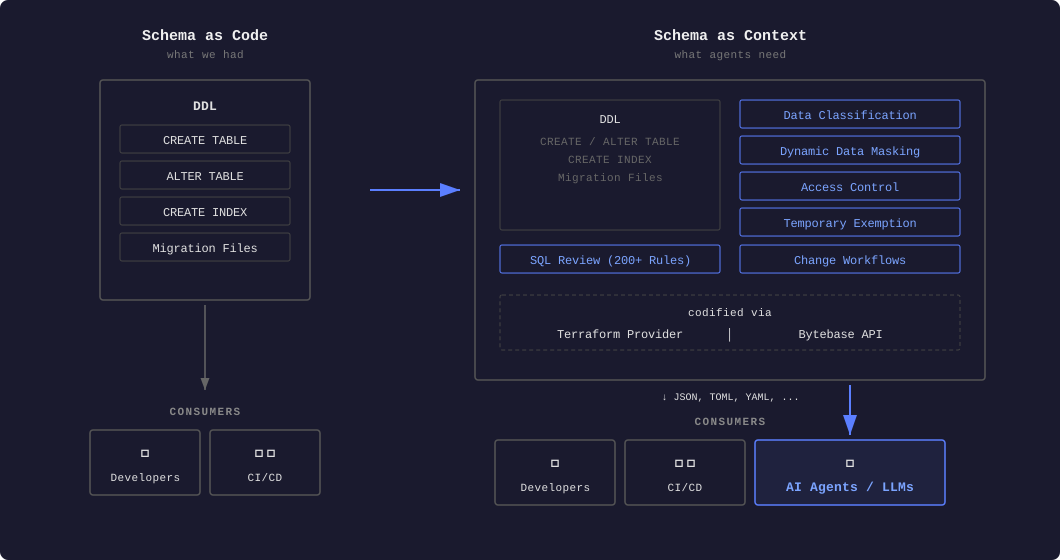
Bytebase reviews schema migrations before they reach production. Its SQL review engine enforces rules like requiring indexes on columns used in WHERE clauses, blocking DROP INDEX without an explicit override, and flagging tables that lack a primary key — the same constraints that upsert logic depends on. For teams running PostgreSQL and MySQL side by side, Bytebase runs the same review workflow against both databases regardless of which upsert dialect each one uses.
FAQ
What is the difference between upsert and MERGE?
MERGE is the SQL standard way to do an upsert, used by SQL Server and Oracle. MySQL and PostgreSQL have their own shorter syntax that covers the insert-or-update case. MERGE can also handle DELETE in the same statement, which makes it useful for syncing a whole table, not just individual rows.
Can I use ON CONFLICT with a two-column unique index in PostgreSQL?
Yes. List both columns: ON CONFLICT (col1, col2) DO UPDATE SET .... PostgreSQL will find the unique index that covers exactly those columns. If no such index exists, you'll get an error at runtime.
Why does MySQL ON DUPLICATE KEY UPDATE return 2 affected rows on an update? MySQL's convention: 1 = row was inserted, 2 = existing row was updated, 0 = row matched but nothing changed. It's intentional and documented. Most ORMs hide this, but raw database clients return the raw number.
Is REPLACE INTO the same as upsert?
No. REPLACE INTO deletes the old row and inserts a brand new one. This resets the primary key on auto-increment tables, fires DELETE triggers instead of UPDATE triggers, and can break foreign keys that point at the deleted row. Use INSERT ... ON DUPLICATE KEY UPDATE instead.
Does PostgreSQL ON CONFLICT work with partial indexes?
Yes. If your unique index was created with a WHERE clause, include the same condition in the conflict target: ON CONFLICT (col) WHERE is_active = true DO UPDATE SET .... PostgreSQL only uses the partial index when the row being inserted matches that condition.